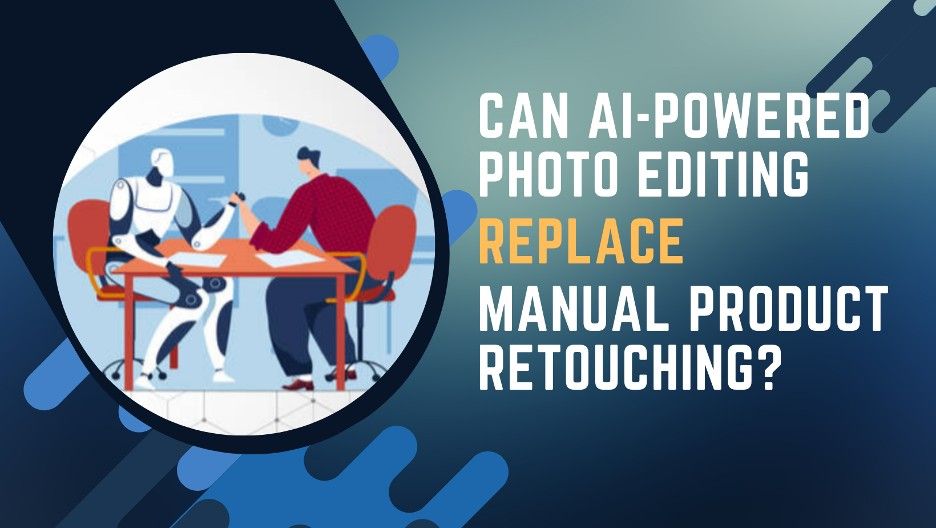
Which Approach Is Effective for Product Image Editing— Automated or Manual?
In eCommerce, high-quality product images aren’t optional—they’re the foundation of customer trust and conversion. As catalogs expand at scale, businesses face a critical challenge: how do you scale image editing without sacrificing quality or brand consistency?
The answer lies in a hybrid approach that combines the speed of AI automation with the precision of human expertise. AI-powered tools excel at handling repetitive, high-volume tasks like background removal, batch resizing, and basic color correction—processing hundreds of images in minutes. But when it comes to capturing intricate textures, maintaining brand identity, and perfecting hero shots, human editors remain irreplaceable.
This blog explores AI vs manual photo editing, highlights why a hybrid workflow is necessary, and outlines best practices for implementing an efficient, high-quality hybrid product photo editing process.
Role of AI in Product Image Editing
AI-powered image retouching is crucial for eCommerce businesses looking to streamline and scale their product image editing. These tools automate repetitive tasks, for example:
- Background Removal: AI can automate isolating the product from its background, speeding up the workflow and ensuring consistent results across large batches of images.
- Cropping and Resizing: AI-driven batch processing can quickly crop and resize product images to specific dimensions or aspect ratios, ensuring uniformity across a catalog of thousands of items.
- Color Correction: AI algorithms can automatically correct basic lighting and color imbalances, ensuring images meet standard color balance guidelines and look polished for professional use.
- Image Formatting: AI can optimize images for various marketplace requirements, including adjusting the size, resolution, and aspect ratio to meet the demands of different eCommerce platforms and device types.
While AI can handle bulk editing at speed, precision, brand identity, and authenticity require human intervention in areas where creativity and judgment are key.
Common Pitfalls of AI Photo Editing
Precision, Authenticity, and Creativity Are Best Left to Humans
AI lacks the nuanced judgment required for tasks that involve creative decision-making or attention to fine detail, highlighting how AI-powered image retouching affects image quality and authenticity. These limitations become particularly evident in the following areas:
- Material and Texture Accuracy: AI struggles to accurately represent intricate textures, such as those found in leather, fabric, or metal. In industries such as fashion and jewelry, where small texture changes can alter a product’s appearance, AI may introduce distortions that misrepresent its authentic look and feel.
- Color Fidelity: While AI can correct basic color imbalances, it cannot always guarantee color accuracy across different environments. Variations in lighting, product material, and AI algorithm limitations may lead to discrepancies between the on-screen image and the actual product, undermining customer trust.
- Complex Edits: Certain edits—such as retouching reflections, adjusting glossiness, or fine-tuning intricate patterns—require creativity and precision that AI cannot replicate.
- Consistency Across Product Variants: AI can standardize basic edits such as background removal, but it struggles to maintain visual consistency across a catalog of styles, and product variations. This consistency is critical for brand coherence, especially in large product lines where a unified visual style is essential.
The Hybrid Workflow: Combining AI Automation with Human Expertise
1. Automated / AI‑Powered Processing (Volume Handling)
In the initial stage, AI tools automate high‑volume, repetitive tasks to speed up the editing process and ensure consistency. These tasks include sorting and organizing images, removing backgrounds, applying basic adjustments such as exposure, white balance, and color correction, and handling minor retouching like blemish removal. By automating these steps, businesses can efficiently process large batches of images, ensuring uniformity across product listings.
2. Human-Led Retouching
Following the AI-powered processing, human editors refine the images to ensure accuracy, creativity, and brand alignment. They apply advanced color grading to adjust tones and ensure the images reflect the brand’s visual identity. For high-quality product images, especially hero shots or complex items, editors perform detailed retouching, enhancing textures, shadows, and lighting to achieve a realistic and polished look. This process guarantees that the final photos are cohesive, polished, and meet marketplace requirements and remain consistent across the product catalog.
Best Practices for a Hybrid Product Photo Editing Workflow
1. Define Guidelines for AI and Human Editors
Establish a workflow where AI handles repetitive tasks like image sorting, background removal, and basic adjustments (exposure, white balance), while human editors focus on creative aspects like color grading, texture enhancement, and ensuring brand alignment. For example, AI may remove backgrounds, but human editors refine edges and add shadows for a more polished look.
2. Leverage Industry-Leading Tools
Use AI tools like Adobe Photoshop and Adobe Lightroom for tasks such as background removal and color correction, while human editors use Adobe Photoshop or Capture One for advanced retouching, detail refinement, and creative styling. This balance ensures both speed and high-quality results.
3. Maintain Consistent Branding and Quality Standards
Ensure that both AI and human editors follow brand guidelines for color palettes, lighting, and composition. This will maintain a unified visual identity across product images, reinforcing the brand’s aesthetic and ensuring consistency in all catalog images.
4. Implement Workflow Automation
Use project management tools to organize and track the progress of images through the hybrid editing workflow. This helps automate transitions between AI and human tasks, reducing bottlenecks and improving efficiency.
5. Implement Iterative Feedback Loops
Over time, train AI models using feedback from human editors. Editors should document common AI mistakes to improve the automation rules. This continuous feedback loop ensures AI becomes more accurate with each iteration and requires less human intervention for routine tasks.
The Strategic Imperative: With growing volume, most in-house teams lack proficiency in advanced tools, deep retouching proficiency, or standardized workflows needed to operate a hybrid AI + human editing pipeline at scale. The result is inconsistent output, slow turnaround, and constant operational firefighting, listing delays, poor visual consistency, and weakens brand perception across marketplaces.
Outsourcing product photo editing services solves this gap by providing production-ready workflows, editors proficient in high-end editing tools, and built-in QA processes that are already optimized for volume, consistency, and brand alignment. This lets businesses leverage the benefits of AI automation and human creativity—without having to build the entire infrastructure—so internal teams can focus on strategy, campaigns, and growth instead of managing editing pipelines.